About
Hey 👋
my name is Silvio. I’m a frontend engineer, musician and gear nerd from Germany, and I created Loopy Demos.
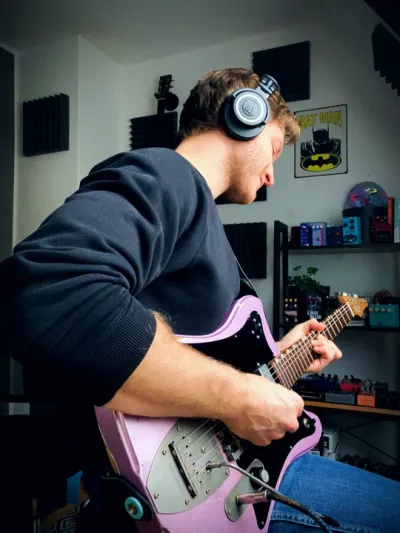
Loopy Demos produces interactive gear demos for the web. Instead of sitting through a lengthy YouTube video, you turn the knobs yourself and hear the difference in real time. It began as a way to combine my passion for music with the web skills from my day job, and it has grown into a platform that gear makers use to demo their products.
If you build pedals, amps or other gear and want interactive demos on your own product pages, head over to For Manufacturers. If you just want to know which guitars, basses and studio gear I record with, it all lives on my gear page.
How I Record Demos
Everything you hear on this website is an actual instrument recorded through a physical unit of the pedal you see displayed. This is not a plugin or some AI modelling. In the interactive demos, you hear the sound that the actual pedal produces at the settings you see displayed.
I record all the sounds by reamping a prerecorded track through the pedal, using a Radial ProRMP Reamp Box*.
This is my usual workflow:
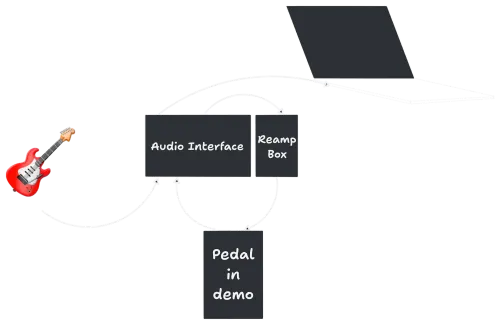
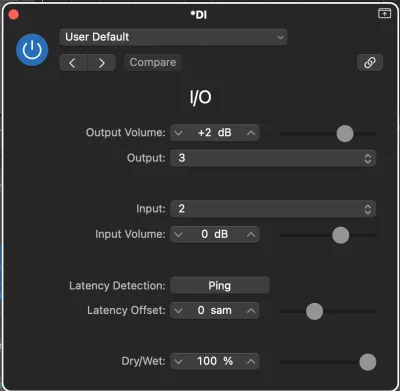
I have a template in my DAW where I use Logic’s I/O plugin to put the pedal between the interface (UAD Volt 4*) input and an amp simulation (currently: Mixwave’s Benson Chimera Plugin*).
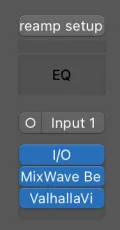
I fiddle with the pedal until I get an inspiring sound, then write and record the main demo track. It’s usually a 16 bar loop. I try to write something that makes sense for the pedal and is not too tiring on the ears after repeated listening.
The D.I. recorded track goes out from my interface, into the reamp box, out through the pedal and back into an input on my interface.
I record a few “presets” that you can flip through and a few knob “sweeps”. For a knob sweep, I keep all settings the same but for one knob or toggle. I record about 6 positions, which is usually enough to get a feel for the range of a knob. I try to listen closely to how sensitive a knob is and how many samples I need to take to create a good audio representation.
I then export all audio files, with settings to make sure that all audio files are the same length, upload them to a server and this website downloads them to the browser.
Lately I’ve been recording videos of myself playing the demo track to create more engaging posts for Instagram. I use remotion.dev so I can reuse the code from the website and overlay the demo widget in the video to showcase the settings.
Web Tech
I built this site with Astro and SolidJS. I code in Visual Studio Code, my terminal is Warp. I host this site on Vercel.
I’m running this as a one-man show, so if you find a bug or a usability issue, or have any other feedback, tech or music related, shoot me a DM on Instagram.
*Affiliate links: If you buy something through these links, you’re supporting Loopy Demos without any extra cost for you. Thank you!